Read This First:
Before we talk about tools, scripts, or brainrot.mov you need to understand where the dollars will come from.
People are already making real money posting simple, repeatable, informational comedy videos using Peter Griffin & Stewie-style explainers.
Here's how the money stacks up:
- Facebook: pays creators from Day 1. No follower minimum. Post consistently → earn immediately.
- YouTube Shorts: once you cross ~10M views (very achievable with these formats), you unlock pay-per-view revenue.
- Instagram: offers performance bonuses (ex: $2,000 for posting 30 times in a month once your page grows).
- Brand deals: the real money. Companies will pay $500–$3,000 per video just to get in front of your audience.
Accounts like @algorithmswithpeter are printing because:
- Their content teaches
- Their audience trusts them
- Their niche converts into dollars
Once you understand that, everything else becomes mechanical.
Step 1: Pick a Niche That Prints
Your goal is not originality. Your goal is clarity + demand.
Pick ONE niche and stay in it.
Here are 20 high-learning, high-attention niches you can start with:
- Making money online
- Credit cards & credit score hacks
- Algorithms / social media growth
- AI tools & automation
- Side hustles for beginners
- Real estate basics
- Crypto & Web3 (education only)
- E-commerce & dropshipping
- Career advice & resumes
- College survival & shortcuts
- Productivity & focus
- Fitness myths & fat loss
- Nutrition & supplements
- Tech startups & apps
- Investing for beginners
- Sales psychology
- Marketing & ads
- Freelancing & solopreneur life
- Internet scams & warnings
- Business stories & failures
Step 2: Generate Viral Video Ideas (The Lazy Way)
Open ChatGPT and paste this prompt:
"Give me 50 Peter Griffin and Stewie explainer style Instagram reel ideas that will go viral in the [INSERT NICHE] niche."
You'll get 50 ideas instantly.
Pick ONE.
Don't overthink it.
Step 3: Generate the Script (Copy This Exactly)
Take the video idea you chose and paste THIS EXACT prompt into ChatGPT:
Now generate the script for this video.
[PASTE VIDEO IDEA FROM PREVIOUS PROMPT]

and include a simple call to action related to the video that tells the viewer to follow

Keep it around 60 seconds, and STRICTLY use this format:
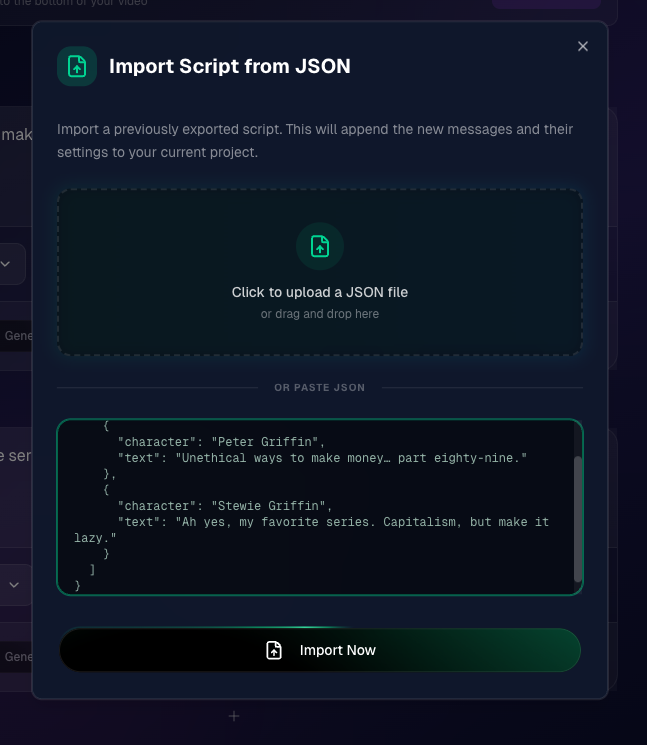
{
  "script": [
    {
      "character": "Peter Griffin",
      "text": "Unethical ways to make money... part eighty-nine."
    },
    {
      "character": "Stewie Griffin",
      "text": "Ah yes, my favorite series. Capitalism, but make it lazy."
    }
  ]
}
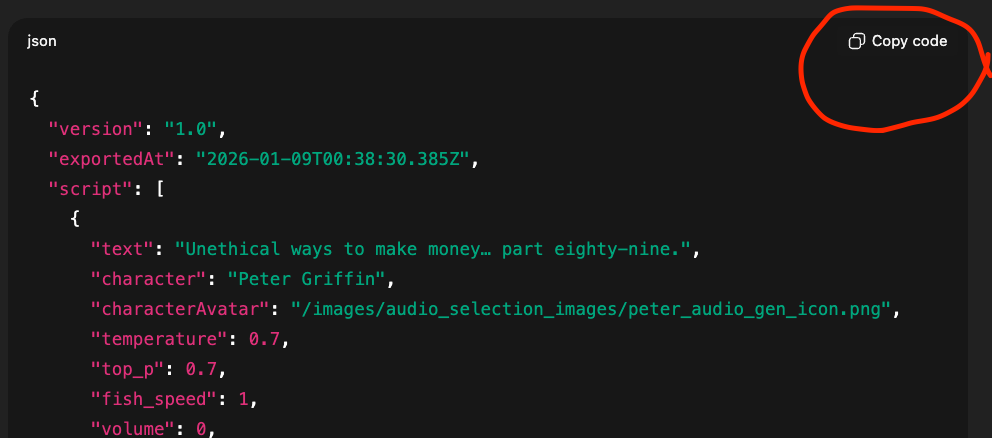
ChatGPT will output a JSON script.
Copy the entire JSON block.
Step 4: Bring It to Life Inside brainrot.mov
Now the mechanical part.
- Go to brainrot.mov
- Sign up and select a plan (I suggest Hobby [$12] to get started, I was still able to get viral videos)
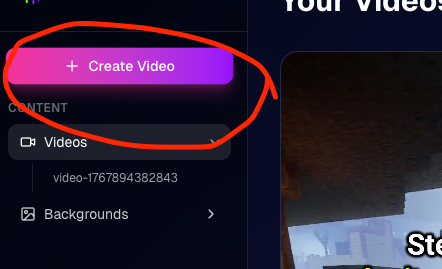
- Hit the "Create New Video" Button
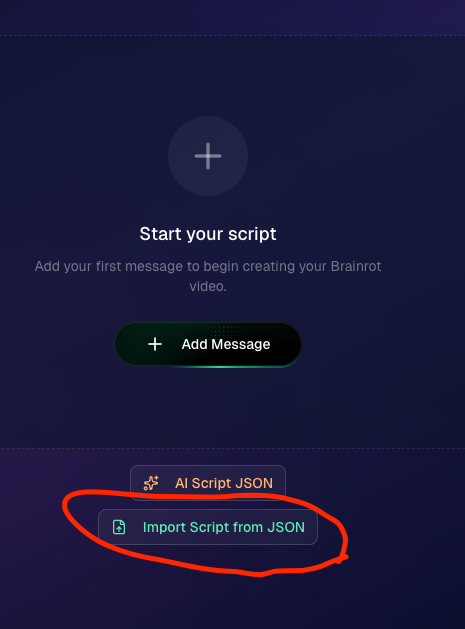
- Click Import Script
- Paste the JSON + Click Import Now
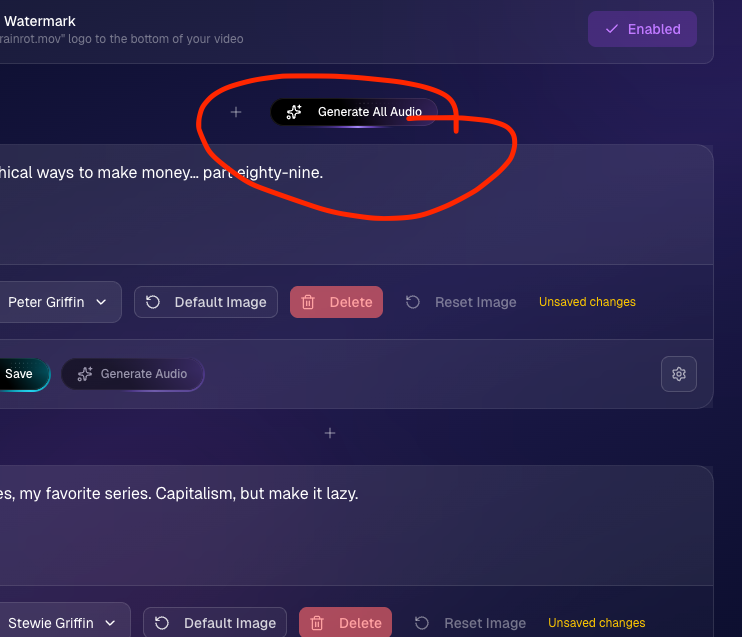
- Hit Generate All Audio at the top of the messages
You now have fully voiced dialogue.
Step 5: Create Your Characters (One-Time Setup)
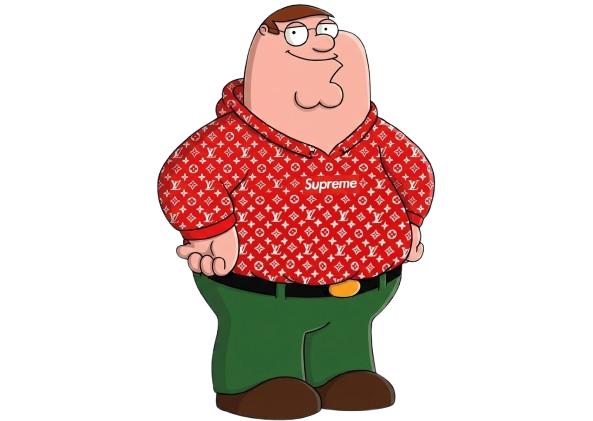
Use Google Nano Banana to generate custom Peter & Stewie-style characters.
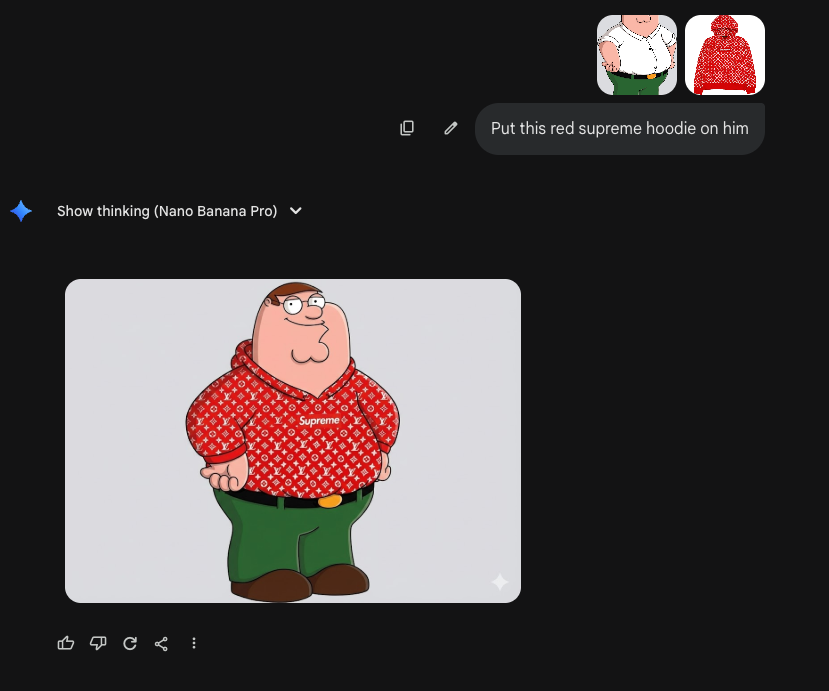
use RemoveBG to get rid of backgrounds
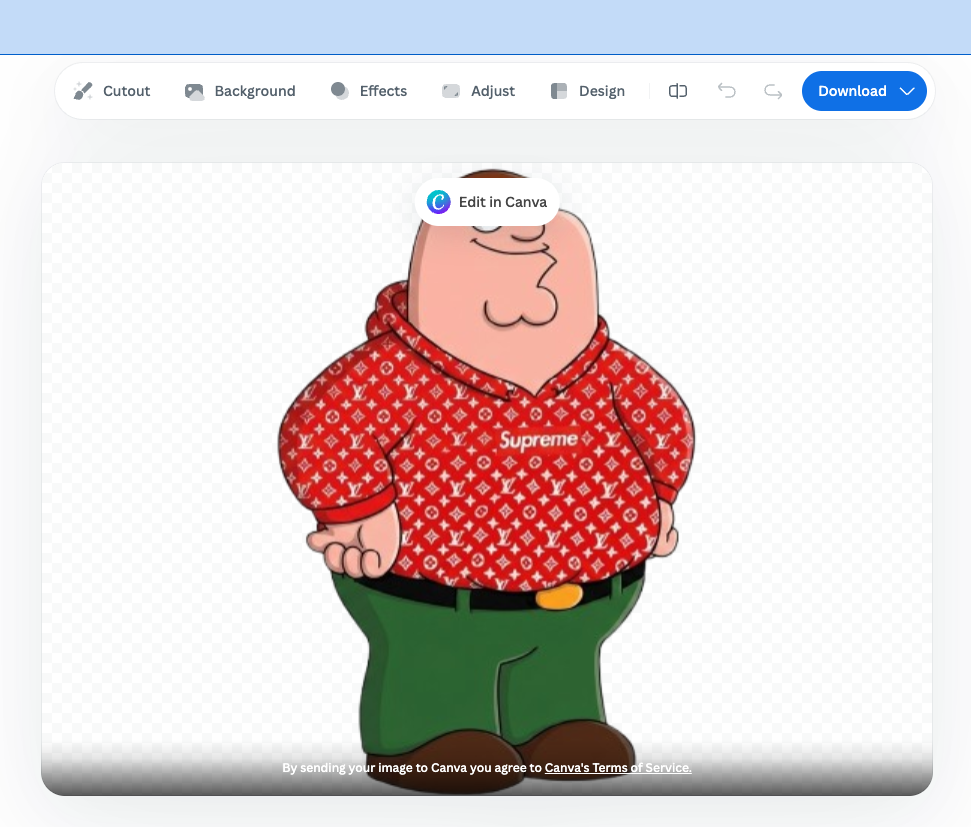
now we got this
Inside BrainRot:
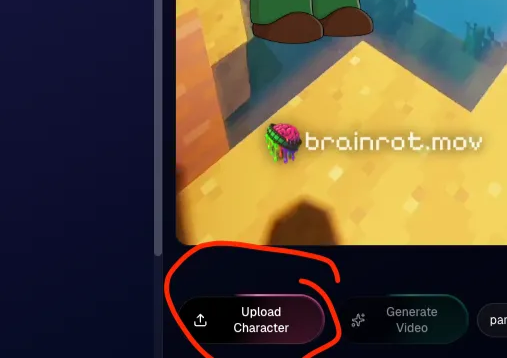
- Select a message for your character
- Click Upload Character
- Upload your Peter image
- Upload your Stewie image
Notes:
- Hobby Plan ($15) required for custom characters
- Creator Plan required to remove watermarks
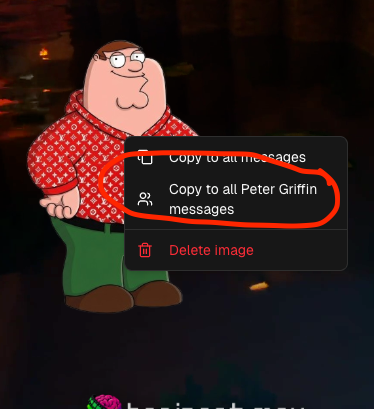
After uploading:
- Right-click the image
- Select Apply to all [CHARACTER NAME] messages
Now all your Peter messages will show the custom Peter!
Step 6: Generate the Video
Click Generate Video.
Takes under 3 minutes.
Download the video.
Post it.
Step 7: Post Like a Machine
Your only job now:
- Post 3–5 videos per day
- Stay in ONE niche
- Don't delete videos